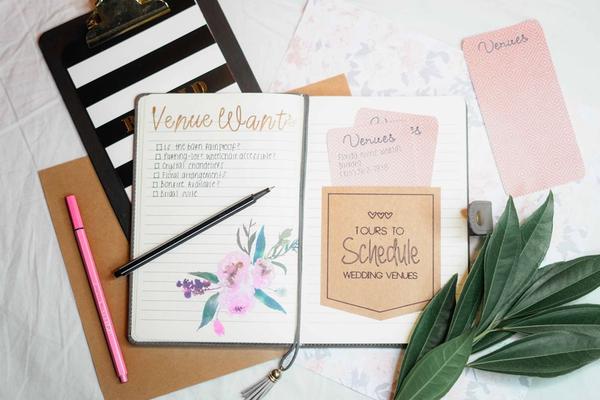
A wedding planning app is useful when it reduces the number of places you need to check. The best tools do more than provide a countdown; they help keep decisions, deadlines, guest details, spending and supplier information in one organised system. For UK couples, that can make a real difference when venue appointments, deposits, invitations and smaller tasks all compete for attention.
Rather than choosing an app because it has the longest feature list, decide which functions solve your actual planning problems. A couple organising a small registry-office wedding may need something very different from someone coordinating 150 guests, several suppliers and a separate evening reception.
Start with a checklist that adapts to your wedding
A useful wedding checklist app should do more than show a generic task list. Look for one that lets you add, remove, rename and reschedule items. UK weddings vary widely, so you may need tasks for giving notice, arranging transport, confirming registrar details, checking venue access times or collecting hired décor.
Reminders matter too. A task that says “book photographer” is less helpful than one with a deadline, notes and a responsible person. If you and your partner are sharing the planning, assigning tasks can prevent both of you assuming the other has handled something.
Build the app around your real timeline rather than accepting every suggested deadline. Once your venue confirms when final guest numbers are due, add that exact date and work backwards for RSVP chasing. That turns the app into a working plan instead of a generic inspiration tool. A related guide could use the internal anchor text wedding planning checklist.
Budget tracking should reflect real costs
Budget features are one of the strongest reasons to use a digital wedding planner. Look for the ability to set an overall budget, create categories, record estimated costs, log actual payments and separate deposits from remaining balances.
This is especially useful when suppliers quote in different ways. A venue may take staged payments, while a florist or entertainment supplier may require a booking deposit followed by a final balance. Your wedding organiser app should make it easy to see what has been committed, what has already been paid and what is still due.
Add notes beside important figures, including whether delivery, travel or other extras are included. The aim is not to replace the supplier contract, but to give you a quick financial overview without reopening emails each time you check the budget.
Guest management is more than an RSVP counter
For many couples, guest tracking becomes the most valuable feature once invitations go out. A good wedding planner app UK couples can rely on should let you record household groups, invitations sent, RSVP status, plus-ones, meal choices, dietary requirements and attendance for different parts of the day.
Your ceremony, wedding breakfast and evening reception may not all have the same guest list. Being able to filter people by event can make final numbers much easier to prepare for the venue or caterer. Seating tools are also useful if guests can be moved without rebuilding the whole plan. A natural internal link here could use the anchor text wedding guest list planning.
Supplier notes should become your single reference point
Wedding planning often creates a trail of emails, PDFs, messages and handwritten notes. The right app gives you one place for key supplier details: contact name, phone number, agreed service, payment dates, arrival time, venue access notes and outstanding questions.
You do not necessarily need full document storage. Even a clear notes field can save time. Before a venue meeting, for example, you could quickly check questions about table layouts, setup access, parking or wet-weather arrangements. Keep signed contracts and important invoices in secure original storage too; the app should be a planning hub, not the only copy of essential documents.
Shared access can prevent duplicated work
If two people are making decisions, shared access is worth prioritising. Both partners should ideally be able to view updates without passing screenshots back and forth. Some couples may also want limited involvement from a parent, maid of honour or wedding planner.
Think about what information you are sharing. Guest contact details, dietary information and supplier paperwork can be personal, so check the app’s privacy settings and avoid giving wider access than necessary.
Reminders and calendar views make the plan easier to act on
A long checklist can still feel overwhelming if everything appears equally urgent. Calendar or upcoming-task views help by showing what needs attention this week or month. Useful reminders might include deposit dates, RSVP deadlines, dress appointments, final menu choices and supplier confirmation calls.
The best reminder system is one you will actually notice. If you already rely on your phone calendar, look for syncing or notifications that fit your routine. If constant alerts annoy you, choose an app that lets you control which tasks trigger reminders.
Nice-to-have features should come after the essentials
Inspiration boards, countdowns, colour palettes and vendor directories can be enjoyable, but they should not distract from the core functions. When comparing a wedding planning app UK couples may use, test checklist flexibility, budget clarity, guest tracking, supplier notes, reminders and shared access first.
Also consider how easily you can export or copy information. Planning can last many months, and you do not want to feel trapped in a tool because moving your data is difficult. A related guide could use the internal anchor text how to compare wedding suppliers.
FAQ
What is the most useful feature in a wedding planning app?
For many couples, an adaptable task list is the best starting point because it keeps deadlines visible. Once invitations are sent, guest tracking often becomes just as important, while budget tools remain useful throughout the planning process.
Do I need a paid wedding planning app?
Not necessarily. A free app may be enough if you mainly need checklists, reminders and basic guest tracking. Paying makes more sense when premium features solve a specific problem, such as advanced collaboration, detailed budgeting or document management.
Can a wedding organiser app replace a spreadsheet?
It can for many couples, especially if it combines tasks, guests and budget tracking in one place. Spreadsheet users may still prefer custom formulas and layouts. The better option is the one you will keep updated consistently.
Should I choose an app specifically made for UK weddings?
A UK-focused tool can be helpful when its terminology, planning prompts and supplier features match local arrangements. However, the most important factor is whether the app supports your venue, ceremony, guest and payment schedule without forcing you into an unsuitable template.
Choose the tool that removes friction
A wedding planning app is most valuable when it reduces mental load rather than creating another system to maintain. Choose the smallest set of features that covers your real needs, then keep the information current. A flexible checklist, clear budget, reliable guest tracker, supplier notes and sensible reminders will usually do more for an organised wedding than a long list of decorative extras. Test those functions first, and you will be more likely to choose a digital wedding planner that stays useful all the way to the wedding day.